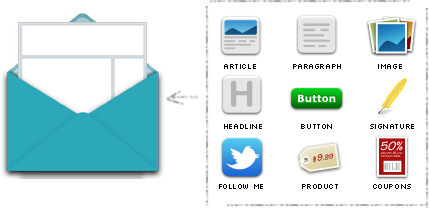
When creating AWeber's Message Editor we needed to create a system wide language that identifies different types of content and how those types of content should interact with our drag & drop editor.
To this day, this project has been one of the more challenging projects I've worked on here at AWeber.
In order to talk about this project it's easier to analyze it in phases.
We first stumbled upon the idea of developing an email theme language when we were building our Drag & Drop Message Editor.
We specifically set out to design a system that isolated design from content and furthermore we wanted to allow a template to consist of many reusable elements.
So I think our main question was... How the hell is this editor going to know what to do with my email HTML code?
We needed to set some guidelines in order to let the drag & drop editor know how it should behave.
Our language would include:
Implementing email templates the way we had done using this language opened up doors for us, one specific example is another project I worked on a year or so later: AWeber's Etsy App.
At the time I was pushing hard for this language to be released to the public.
In hind sight, giving the public access to this language was probably more confusing than it was useful.
This feature is currently used by some of our customer base, however, due to the nature of it's complexity the number of users to adopt the feature was pretty slim.
The idea of a theme language as applied to email isn't something I've ever seen done.
A business hires you to design their email campaign. Ideas are tossed around, comps are made, and from the settling dust arises a beautiful, thought out email newsletter.
Your client hits the ground running and the first newsletter goes out successfully.
Everybody celebrates - Champagne around the room!
The newsletter was sent so the job is done right? ...maybe, but probably not...
As much as your clients are eager to learn how to write HTML to maintain their newsletter we all know it's not totally realistic.
As time passes, things slowly start to look off in their newsletter... headlines aren't aligned consistently, images aren't framed like they used to be and somehow someone deleted the closing tag for the footer.
HELP!!! Your client is frustrated and it's your responsibility to dig through this nightmare of code hours before the newsletter is supposed to be sent.
So what went wrong here? How can we avoid this problem?
We've dug through our customers emails to isolate common elements used in newsletters.
Now you can provide an isolated reusable block of HTML for things like blog articles, headlines, products, social media icons etc.
How does your client use it?
Just drag and drop from our toolbar.
Now the email's headlines will always match, the blog articles will always look consistent, and the customer can assemble the email content any way their heart desires.
If they accidentally delete a headline... no sweat... drag a new one onto the canvas and it looks exactly the same. Every time.
We needed a way to manage all the templates within an account - so here is a brief wireframing I constructed after mapping out the concept with some colleagues on a whiteboard.
This is the index page where users can manage all of the email templates.
When selecting Theme Language option, users could plug in the HTML and CSS using this interface.
In order to get the whole team on board I put together a quick presentation using a PDF document that was then sent out for people to reference.
If you are interested in learning more about AWeber's Theme Language I wrote up some documentation that is featured on our developer portal AWeber Labs.